

Mutual Non-Disclosure Agreement
Use a mutual non-disclosure agreement (NDA), also called a mutual confidentiality agreement, to prohibit an individual or business from disclosing confidential information or trade secrets to others.
This agreement empowers the parties that sign it to freely discuss their ideas so that they may build successful business relationships without fear of losing their business opportunities. LegalNature's form builder gives you the flexibility needed to customize the agreement according to the wishes of the parties.
When should I use a mutual NDA?
- When all parties involved expect to share sensitive information.
- When buying or selling goods or services.
- Any collaborative business arrangement.
Create your document in 3 steps
Complete the form
Preview your document
Download and print
Step by step guidance to help you determine the options you need
Throughout the form, we explain all the terms and you’ll be guided on making the best choices for your non-disclosure agreement.
Mutual Non-Disclosure Agreement
Use a mutual NDA when all parties expect to share sensitive information. All parties will be bound to keep any disclosed information confidential.
Non-Disclosure Agreement
Use an NDA when only one party is sharing confidential or proprietary information. Only the receiving party will be bound to keep information confidential.
What Our Customers Are Saying

Help Guide
A mutual non-disclosure agreement (NDA) helps prevent unauthorized disclosures of confidential information between two parties. Review the following guide to learn about the key terms and things to consider when creating this agreement.
View more 
How to complete your Non-Disclosure Agreement
Gather Information
Gather all the relevant information to complete your document. This may include party names, addresses, and confidential information that will be shared. It is advisable to determine what information may potentially be disclosed.
Answer Key Questions
Use the information you collected to complete your non-disclosure agreement. You will be guided through each step allowing you to customize your document to match your specific needs. The questions and information presented to you dynamically change depending upon your answers.
Review and Sign
It is always important to read your document thoroughly to ensure it matches your needs and is free of errors and omissions. After completing the questionnaire, you can make textual changes to your document by downloading it in Microsoft Word. If no changes are needed, you can simply download the PDF version and sign. These downloads are available by navigating to the Documents section of your account dashboard. When signing the document, be sure to follow any additional instructions related to signing and witnessing the document. Any such instructions will either be located next to the signature line or in the instructions attached at the end of the document. When using a notary, you must wait to sign the document until they are present.
Distribute and Store Copies
At a minimum, all parties that sign the document should receive a copy once it is fully executed (everyone has signed). Be sure to store your copy in a safe location. It is a good idea to keep both a physical and electronic copy.
FAQs
How long should a non-disclosure last?
The length of a non-disclosure agreement (NDA) should be determined by what a reasonable time frame is for the type of information that is being shared. If the NDA is too short, then you will not benefit from the maximum protection. If the NDA is set for too long a period, the other parties may be hesitant to sign it as it may interfere with future business plans. It is important to remember that an NDA only covers information that is not yet publicly known. Meaning, if the information you are trying to protect will go public, the length of the NDA should only extend until this time.
What are the different types of non-disclosure agreements?
When should an NDA be put in place?
Can a non-disclosure agreement have more than two parties?
What is a return clause?
Everything you need for your legal matters, one click away
Access your personalized dashboard to manage all your legal documents and business services in one secure location.
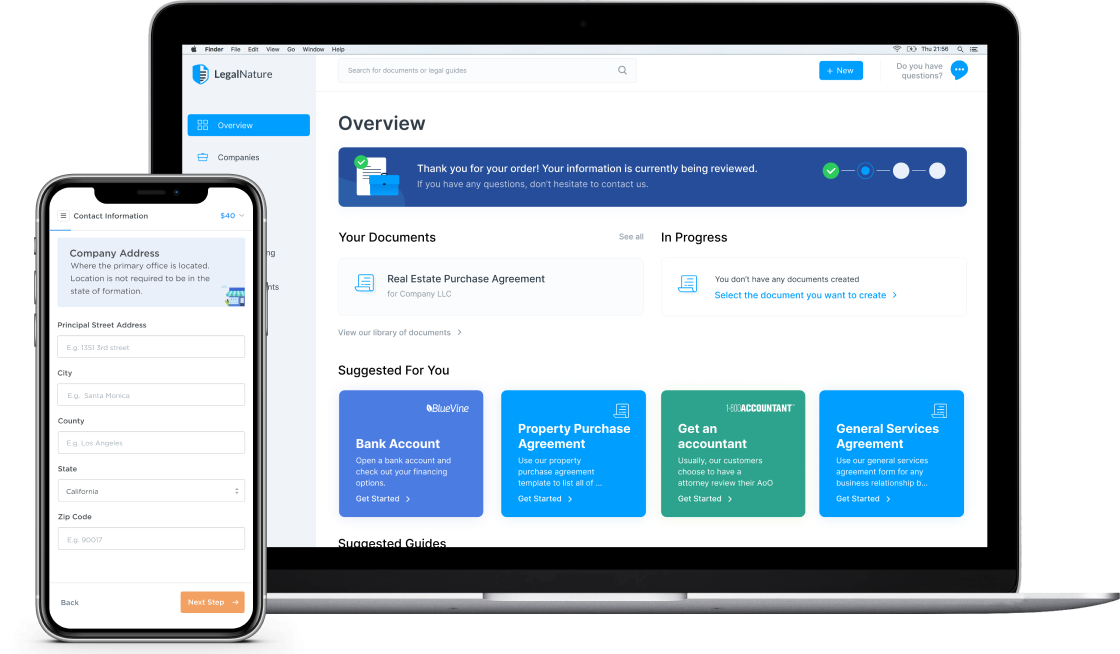

Fast & Easy
Quickly create new documents or business services.

Safe & Secure
Your documents and information are always kept private.

Reliable & Trustworthy
Over 4,000 five star reviews from our customers.

Access Anytime
Everything you need, directly from your dashboard.